
For asset owners, facilities and estates teams
Know what you have, what condition it is in and whether it was checked.
You are responsible for every plant room, riser and rooftop unit, often across several buildings. Rowsys shows each asset, its condition and when it was last checked. When the auditor, insurer or landlord asks, the compliance report is ready.
Paste an outline of the building and it becomes the asset register. One inspection plan per equipment type gives every asset its check with a due date. One screen shows what is overdue, due soon and never inspected. A failed check raises a task with an owner, and sensors warn you early. The compliance report shows every check as on time, late or missed.
The problem
What goes wrong between handover and the next audit
Registers that go stale
The asset list was right on handover day and has drifted ever since. Nobody quite trusts it, so nobody plans from it.
Checks that get missed
Nobody notices an overdue inspection until an auditor or a failure points it out.
Failures found too late
The cool room warmed up overnight and nobody knew until morning. The warning was there. Nobody was looking.
No proof
The work was done, but showing who did it, when and to which version of the procedure takes days.
With Rowsys
From a list nobody trusts to a register that runs the work
Three stages, eight flows. Pick one to see where the information goes.
Set up
Day to day
Proof

Site to officeRegister
Walk the building and add assets from your phone, with a photo, as you find them.
- Register (site to office): Walk the building and add assets from your phone, with a photo, as you find them.
- Plan (office to site): Set a plan once per equipment type. Every asset of that type gets its check with a due date.
- Condition (site to office): A condition assessment completed on site updates the asset’s condition, with the date and the source.
- Failures (site to office): A failed step raises a task with the asset, the step and the reading already filled in, an assignee and a due date.
- Warnings (site to office): Sensors on site are tied to the asset they belong to, with alarms that reach the right person.
- Next check (site to office): When a check is completed the next one is created.
- Overview (site to office): One screen shows what is overdue, due in the next 30 days and never inspected.
- Report (site to office): For any period and any location, the compliance report shows every recurring check and whether it was done on time, late or missed.
- A register in hours, not months
- You do not start from a blank page. Rowsys maintains a library of asset types across the building and engineering trades, each with a sensible set of attributes and units. Paste an outline of a building, its rooms and the equipment in each, and it becomes a tree in one step. Twelve identical air handling units take minutes with an assembly. Or walk the building and add assets from your phone, with a photo, as you find them.
- Inspection plans that look after themselves
- Set a plan once per equipment type: the template, the interval and the team. Every asset of that type gets its check with a due date, and first due dates can be spread so the workload is level. When a check is completed the next one is created. Assets added next year join the plan by themselves. Library types carry recommended checks with the reason or standard behind each one, and “Set up all” turns them into running plans.
- One screen that answers “are we in control?”
- How much of the register is covered by regular checks. What is overdue, due in the next 30 days and never inspected. Assets in poor or critical condition, and checks failed in the last 90 days. The on-time rate, and a 12-month forecast of workload by team. Filter all of it by location.
- Condition and age you can query
- Every asset carries a condition on a five-point scale from Excellent to Critical, with the date and source of the last assessment, plus installation date, warranty and expected life. Ask for everything installed more than 10 years ago, every warranty ending within 90 days, or every asset with at least two failed checks this year. Ask in plain English if you prefer. Export exactly what you see to Excel or CSV.
- Every failed check gets an owner
- A failed step raises a task with the asset, the step and the reading already filled in, an assignee and a due date. Anyone opening the check later sees what was raised and whether it has been closed. The compliance report shows every failure that was never followed up.
- Warnings while it is still a planned job
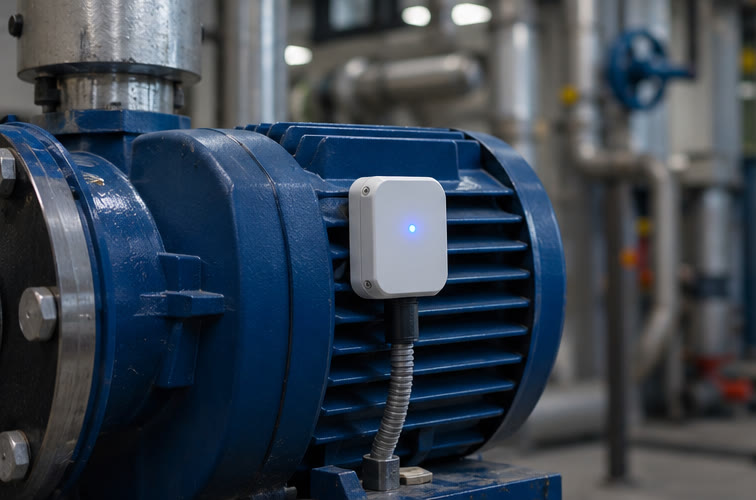
- Sensors on site are tied to the asset they belong to, with alarms that reach the right person on screen, by email and on their phone. Rowsys AI reviews the readings on a schedule you choose and looks for drift, a changed baseline and repeat offenders. A pump drawing more current each week is flagged while it is still a planned job, not a breakdown.
- Paperwork read for you
- Upload a datasheet, certificate or nameplate photo. Rowsys reads it and pulls out the ratings, the make, model and serial number, or the expiry date. Each value comes with the page and the quote it was read from, and you confirm before anything is saved. Certificates and warranties remind the right people before they expire.
- The page you open when someone asks “can you prove it?”
- For any period and any location, the compliance report shows every recurring check and whether it was done on time, late, missed or is still open, the result of each and who completed it, every failure and what was raised to follow it up, and the equipment types with no regular check at all. View it on screen, download it as a PDF or export it to CSV.
For the people who plan the money
Condition data that comes from the work
A renewal decision is only as good as the condition data behind it. In Rowsys that data is a by-product of the inspections, not a separate survey.
Updated by every check
A condition assessment completed on site updates the asset’s condition, with the date and the source. The last-inspected date and history update with it.
Comparable across the estate
Every pump records flow, head, power and speed the same way, in the same units. Units are understood, so a search for motors over 1.5 kW also finds one recorded as 2,200 W.
Complete, and you can see where it is not
Rowsys tracks how complete each asset’s data is and can show you only the gaps.
Yours to take elsewhere
Turn any saved query into a live report, or export it to Excel or CSV for the models and budgets that sit outside Rowsys.
A worked example, not a customer case study
Running a commercial building
A 20-storey office building, from takeover to the report the landlord reads, in five steps.
-
Step 01
Build the register
A facilities manager takes over the building. The asset types come from the library, and the plant rooms are built from assemblies.
-
Step 02
Bring the history with you
The previous contractor’s last-inspection dates are recorded in bulk, per equipment type.
-
The overview shows the gap
See what is not covered
The overview shows 40% of equipment has no regular check.
-
Step 04
Set up the plans
“Set up all” turns the library’s recommended checks into plans, with due dates spread across the quarter.
-
Three months later
Send the report to the landlord
The compliance report shows 96% on time, four missed checks, and one failed fire damper with a task raised and closed. It goes to the landlord as it stands.
Built on Rowsys · DC₂O Farsight
How DC₂O runs client portfolios on Rowsys
DC₂O turns a client’s legacy spreadsheet into a live, costed asset register, lets the client’s own team keep it current from a phone, and reports what the portfolio will cost over the next 30 to 50 years.
-
01 / Manage
A live register in days
The register nobody trusts is structured as site, building, floor, space and component. Each line is matched to a costed asset type from DC₂O’s library of 13,000+ types.
-
02 / Update
Clients keep it current
The client’s team records condition, quantities and new assets on a phone, at the asset. Nothing is retyped from a clipboard, and the forecast moves with every update.
-
03 / Report
Costs you can trace
Capital and operating costs are forecast over 30 to 50 years. Every figure traces back to the component behind it, and a deferral can be tested before the client has to live with it.
- from spreadsheet to working register
- Days
- costed asset types in DC₂O’s library
- 13,000+
- capital and operational horizon
- 30–50 yr
- of figures traceable to the asset
- 100%
Run your clients’ registers on Rowsys
DC₂O brings the cost library and the lifecycle expertise. Rowsys is the register, the phone app and the reporting underneath.
Outcomes
What you get
Five things that are true once the register runs the work.
-
 01
A register you trust
Built in hours and kept current by the work.
-
-
 02
One screen showing what is overdue
And a plan for every equipment type.
-
 03
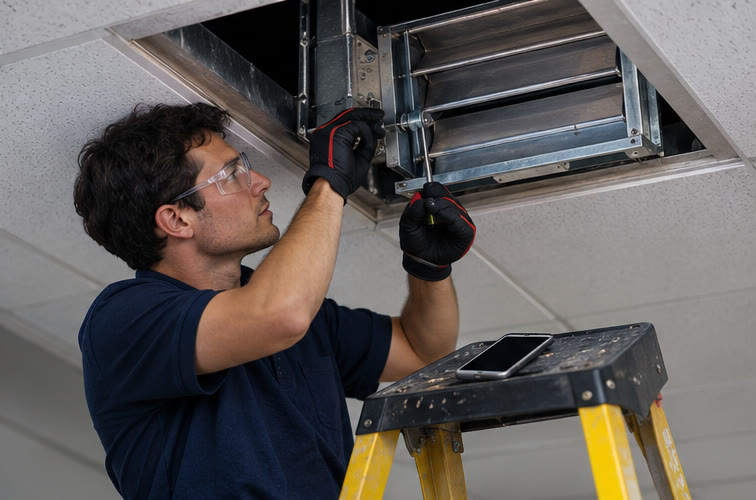
Failed checks that become tasks
And a record of whether they were closed.
-
 04
Warnings while it is still a planned job
Before the fix becomes a breakdown.
-
 05
A compliance report, ready
When the auditor, insurer or landlord asks.
-
See these on your own equipment. Start with one building.
Book a walkthroughDirect answers
Common questions
We already have a register in a spreadsheet. Can we start from that?
Yes. Paste the list as an outline and Rowsys turns it into a tree, matching each line to an asset type. Then fill in the detail in a grid that behaves like a spreadsheet: type, tab and paste. An “only gaps” filter shows what is still missing.
We have years of inspection history. Do schedules start from zero?
No. After the register is built you can record the last inspection date for a whole equipment type in one action, so schedules and overviews start from the truth.
Do we need sensors to use monitoring?
No. A manual input lets staff type a reading on the web or the mobile app, and it behaves exactly like a sensor: the same history, trends and alarms. A “no reading” rule turns it into a reminder when nobody has logged a value.
What happens to monitoring when the internet drops on site?
The site hub runs locally with its own alarm logic. If the connection drops it carries on, stores its readings and sends them when the connection returns.
Can contractors and casual staff fill in a log without an account?
Yes. Print a QR sticker for the door, the fridge or the machine. A simple log can be opened to anyone with the sticker, with no login.
See the method in practice
Start with one building.
Bring an asset list, or just the plant rooms on one floor. The walkthrough builds the register, sets up the plans and shows you the coverage view on your own equipment.